
| Sunset Table | Layout Tables |
| These page top links are placed in a borderless table. | |
|
1
|
2
|
3
|
4
|
5
|
6
|
7 |
8 |
9 |
10 |
||
11 |
12 |
13 |
14 |
15 |
|
16 |
17 |
18 |
19 |
||
20 |
21 |
22 |
|||
ç |
 |
 |
The PROCESS I used to create the "sunset table" was to first insert a 400px wide table, then adjust text and color to mirror the provided sample. I formatted the table via the commands window by choosing AltRows: Sunset. |
 |
|
|
|
||
| This is Table One Experiment | ||||
 |
 |
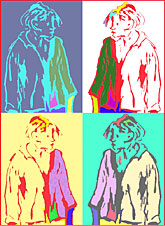
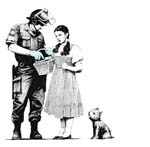
AUTOSTRETCH: Text may not be the best choice as this auto expanded column illustrates because it then it stretches alll the way across the screen and could be a pain in some part of one's anatomy to read. It's probably better to keep text in a confined, controllable area and choose something else to place in the autostretch column. A photograph or image with clearly defined borders such as "Ophelia"in the table above may be a better, but still not a great choice because if the screen goes too wide, it makes a huge, dispropotionate frame around the art and is aesthetically unappealing, though some may not notice or care. The best content for the autostretch column is probably some kind of graphic, "free-floating" image, set in a background color the same as the background of the page or its table cells, like Banksy's "Dorothy With Fireman" graffiti in Table 3 below ("Hopper Art") which is placed in a cell wtih the same color background (though be sure the original art, itself is properly centered when you crop the original canvas or it will look skewed in its cell no matter what you try to do, though it may be pretty subtle). |
|
| This is Table Two Experiment with text in autostretch | |||
 |
 |
||
 |
|
 |
|
| This is Table Three Experiment with orange 3px table border | |||
|
|
||
